01 · Mirror live
Mirror the live you're already doing
Type your TikTok username — LiveLah checks the live and sends it on. You can also mirror Facebook, Instagram or YouTube, or use a pre-recorded video, a playlist or your encoder.
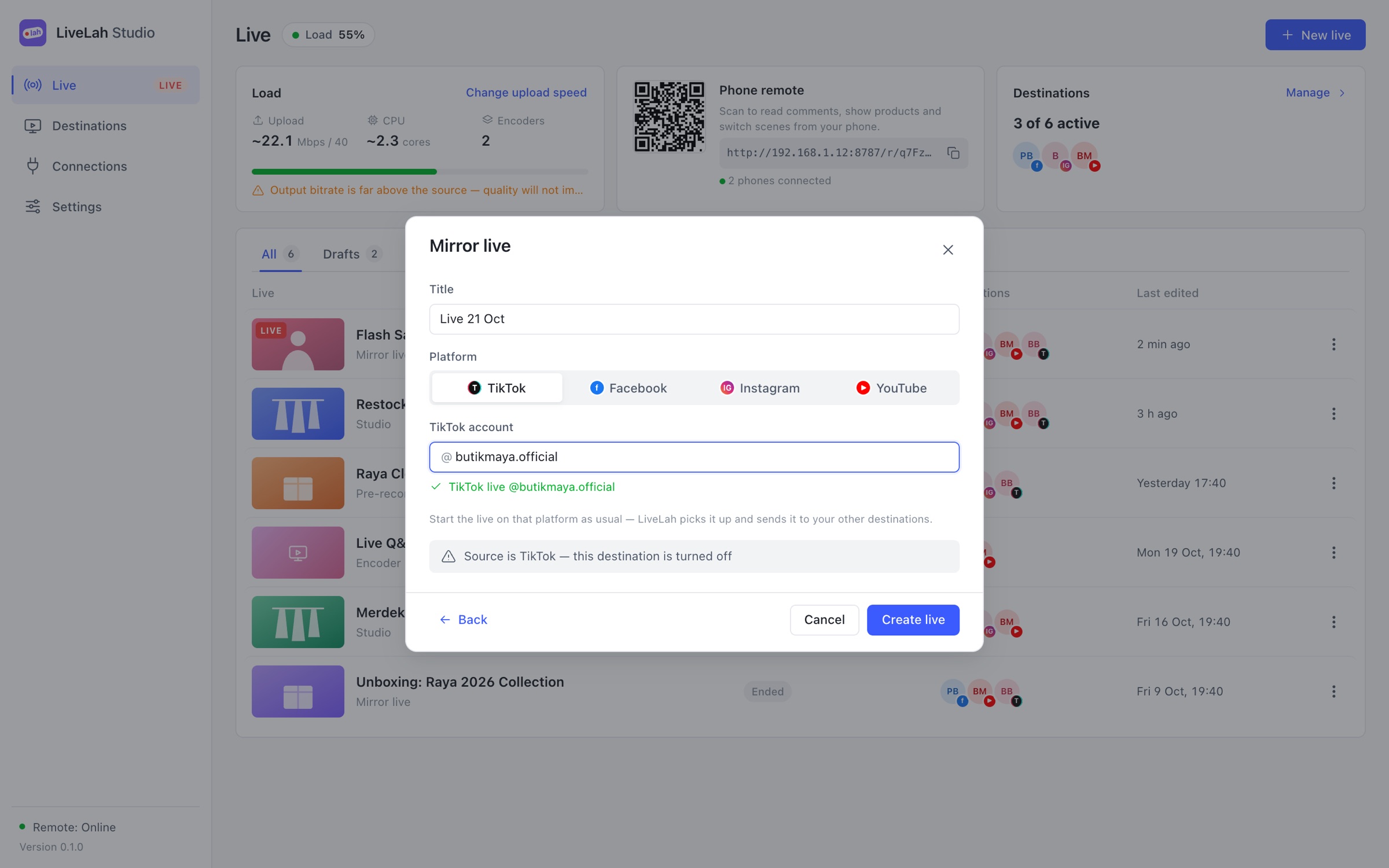
Mirror your TikTok live to Facebook, Instagram and YouTube, read every comment in one place, and sell on screen.
Free account · Mac and Windows (beta) · your phone is the remote
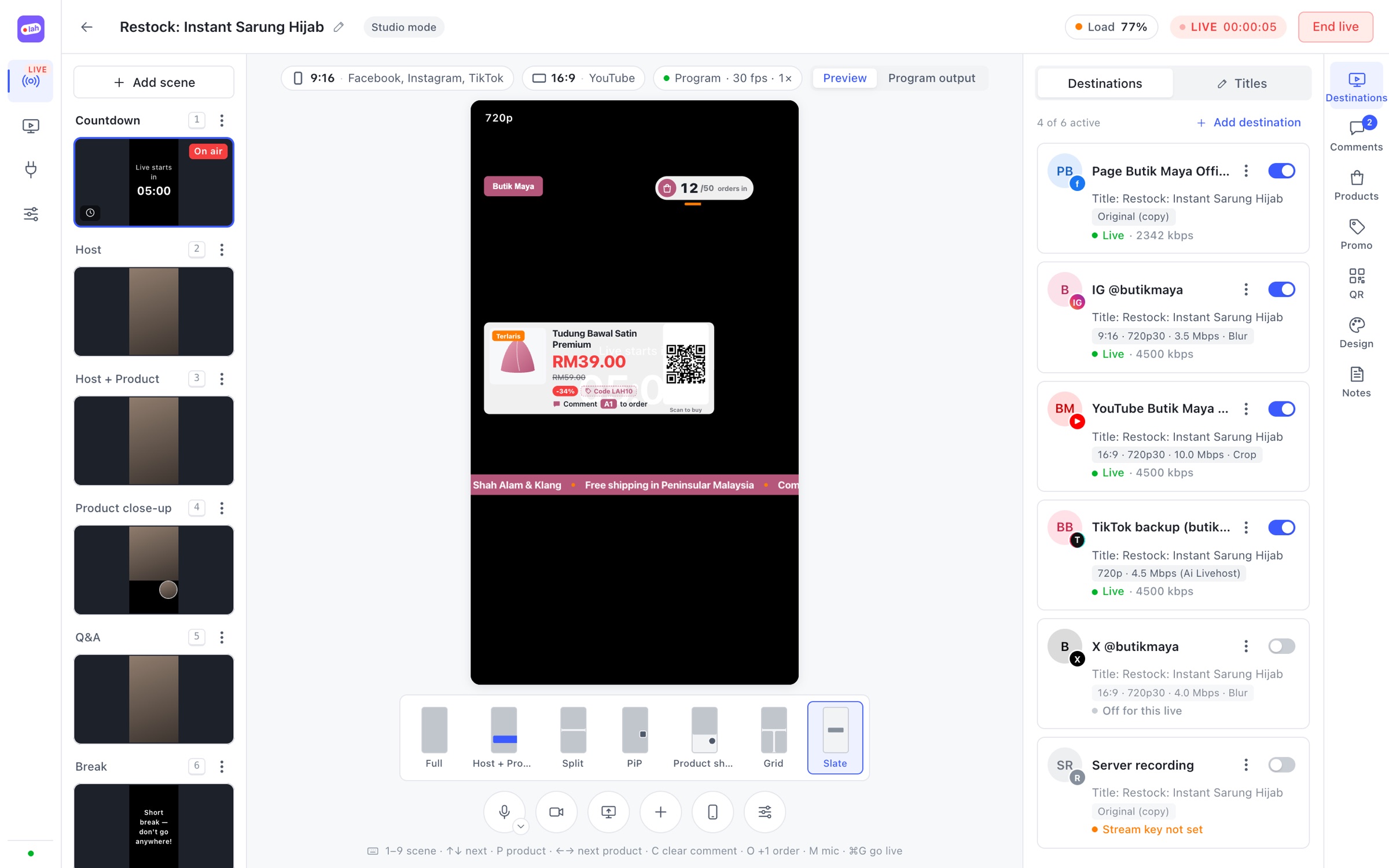
Destinations
Works with the platforms your buyers already use
Platforms at once
4one live, delivered everywhereComment screens
1every platform in one feedExtra phones
0no second phone, no OBSUnfair advantage
Your buyers are spread across TikTok, Facebook, Instagram and YouTube. LiveLah takes the live you already do and puts it in front of all of them — with the comments and the sales tools in one place.
Start your live on TikTok as usual. LiveLah picks it up and delivers it to every channel you switch on — no second phone, no OBS.
01 · Mirror live
Type your TikTok username — LiveLah checks the live and sends it on. You can also mirror Facebook, Instagram or YouTube, or use a pre-recorded video, a playlist or your encoder.
02 · Destinations
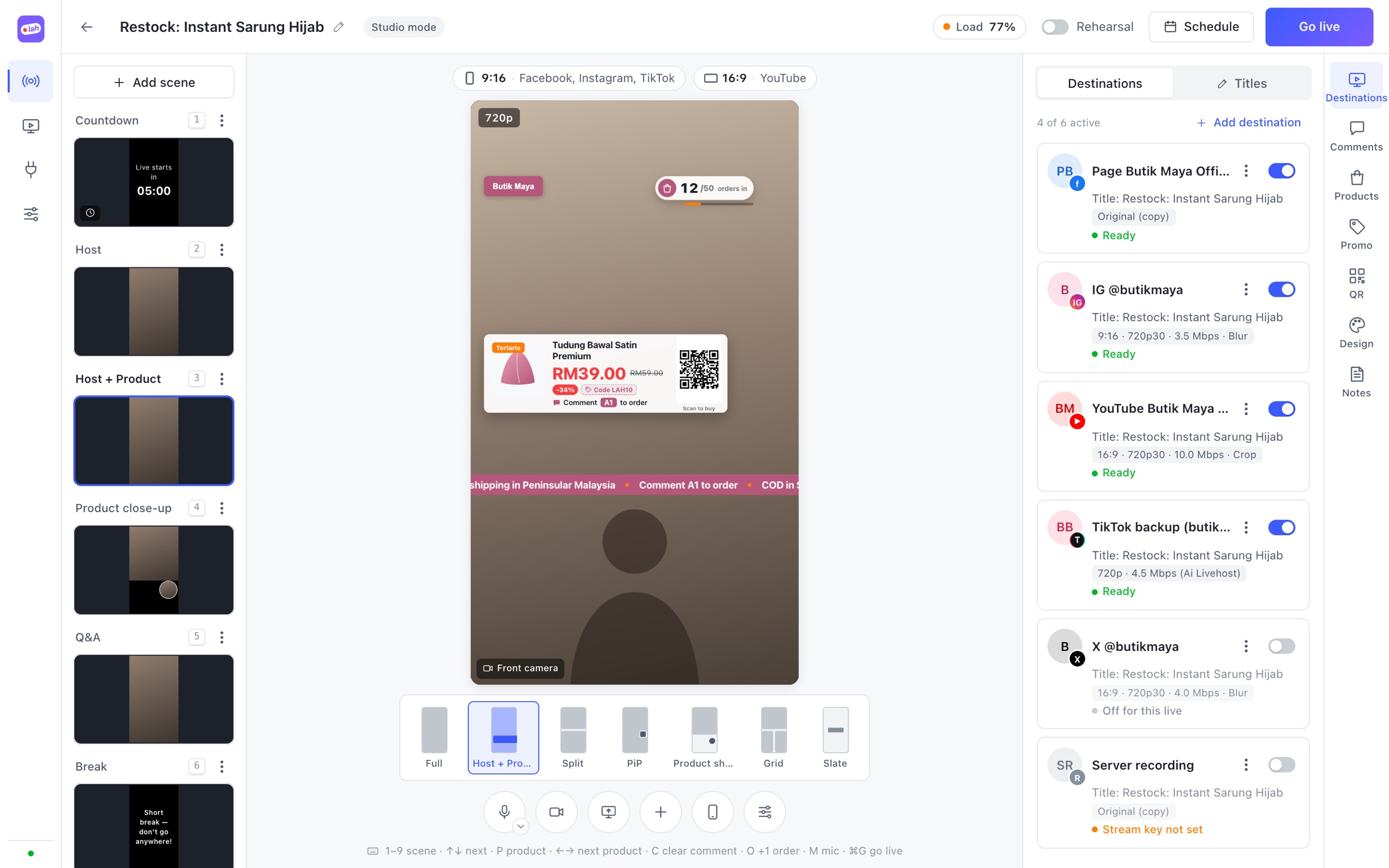
9:16 or 16:9, quality and bitrate per platform, blurred or cropped edges. Passthrough mode sends the original video without re-encoding, so it's light on your computer.
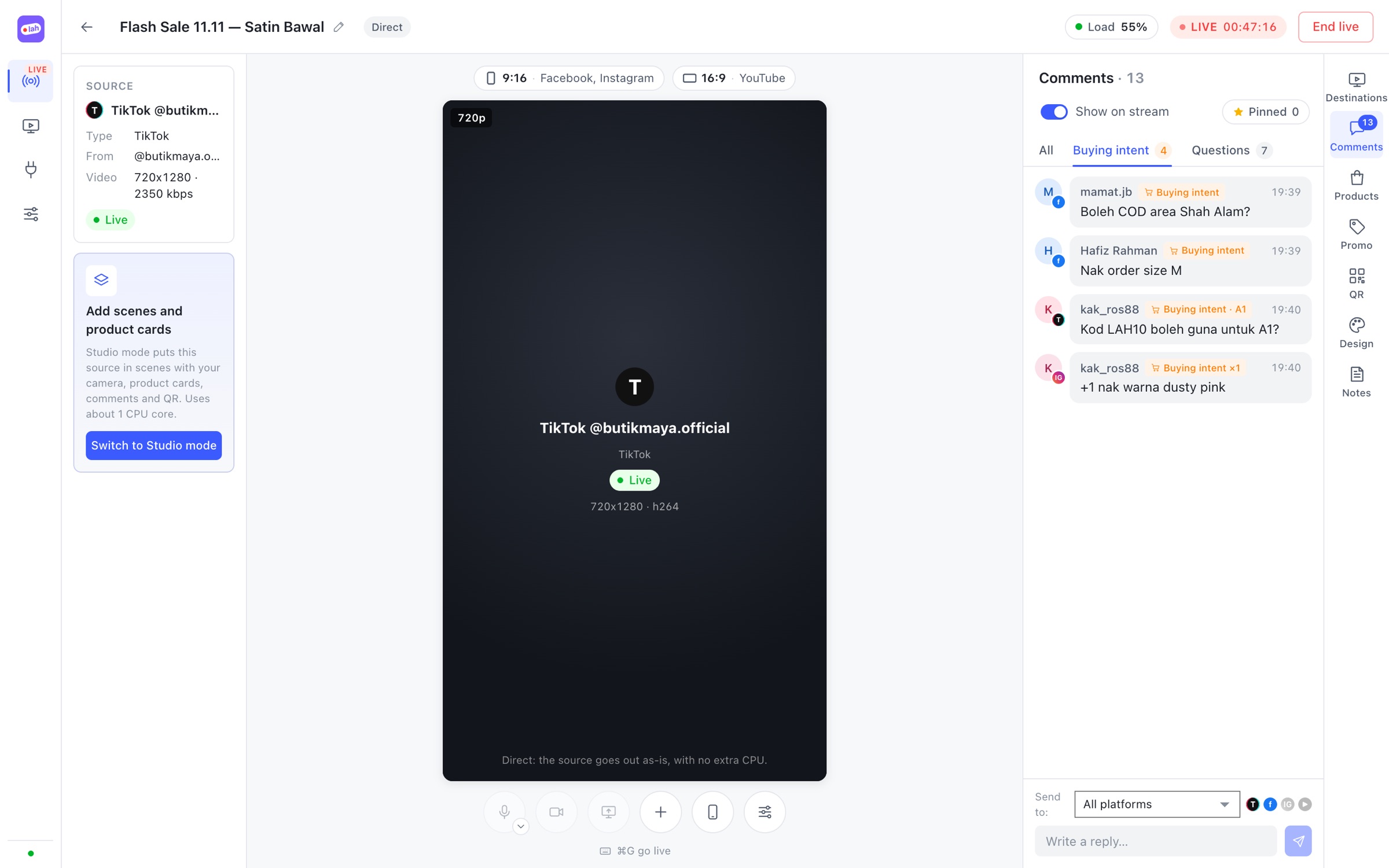
03 · Comments
Comments, likes, gifts and viewers from every platform in one feed. Buying-intent comments like “+1” or “want 2” are flagged for you, and you can reply from LiveLah on supported platforms.
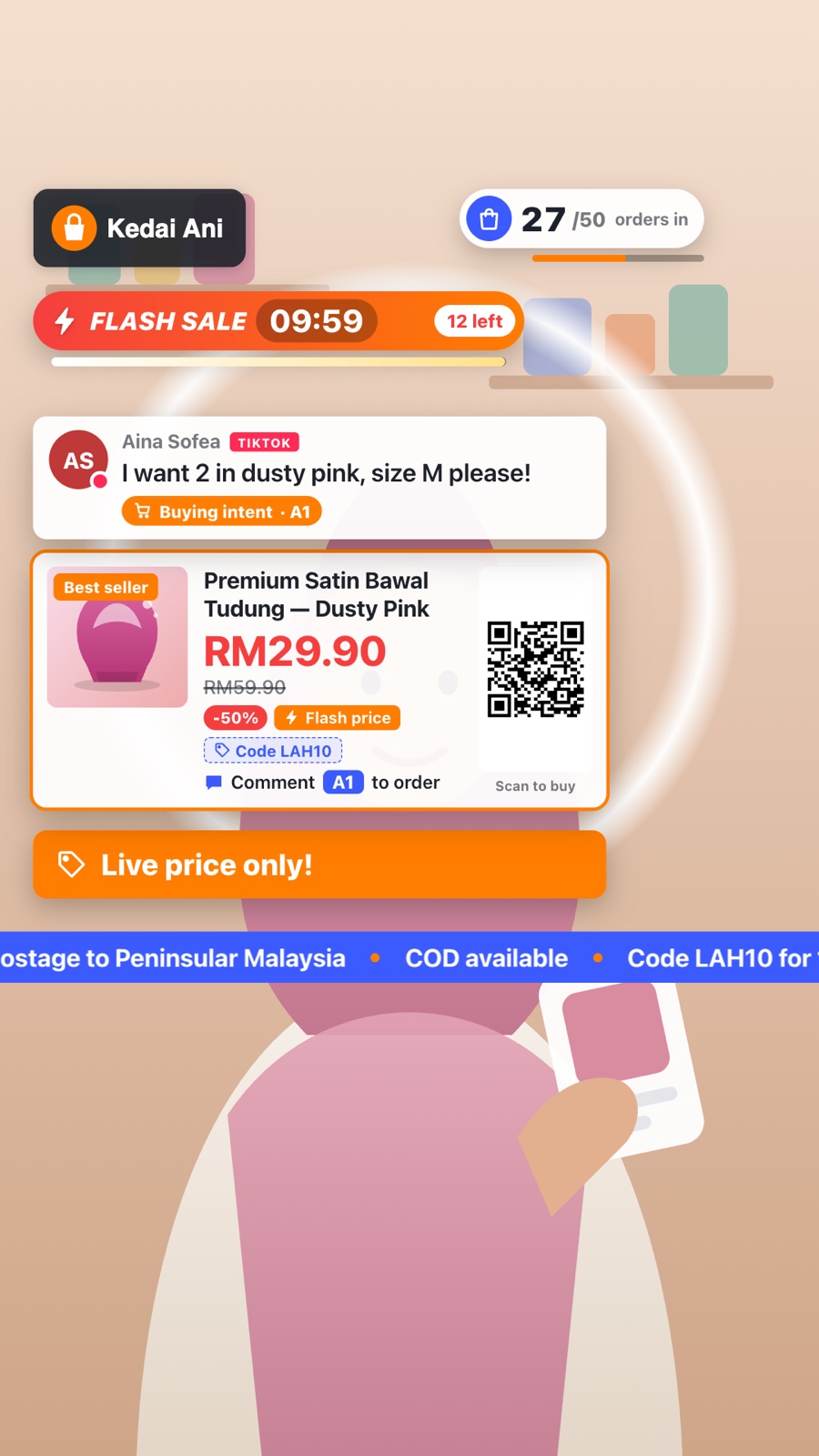
04 · Sell on screen
Product cards with price, discount and QR, flash sales with a timer and stock left, banners, a ticker and an order counter — viewers see how to buy without asking.
05 · Studio mode
Lay out your camera, videos, product photos and the mirrored live. Ready-made layouts — host + product, split, picture-in-picture, grid — and scene switches that never drop the stream.
06 · Phone remote
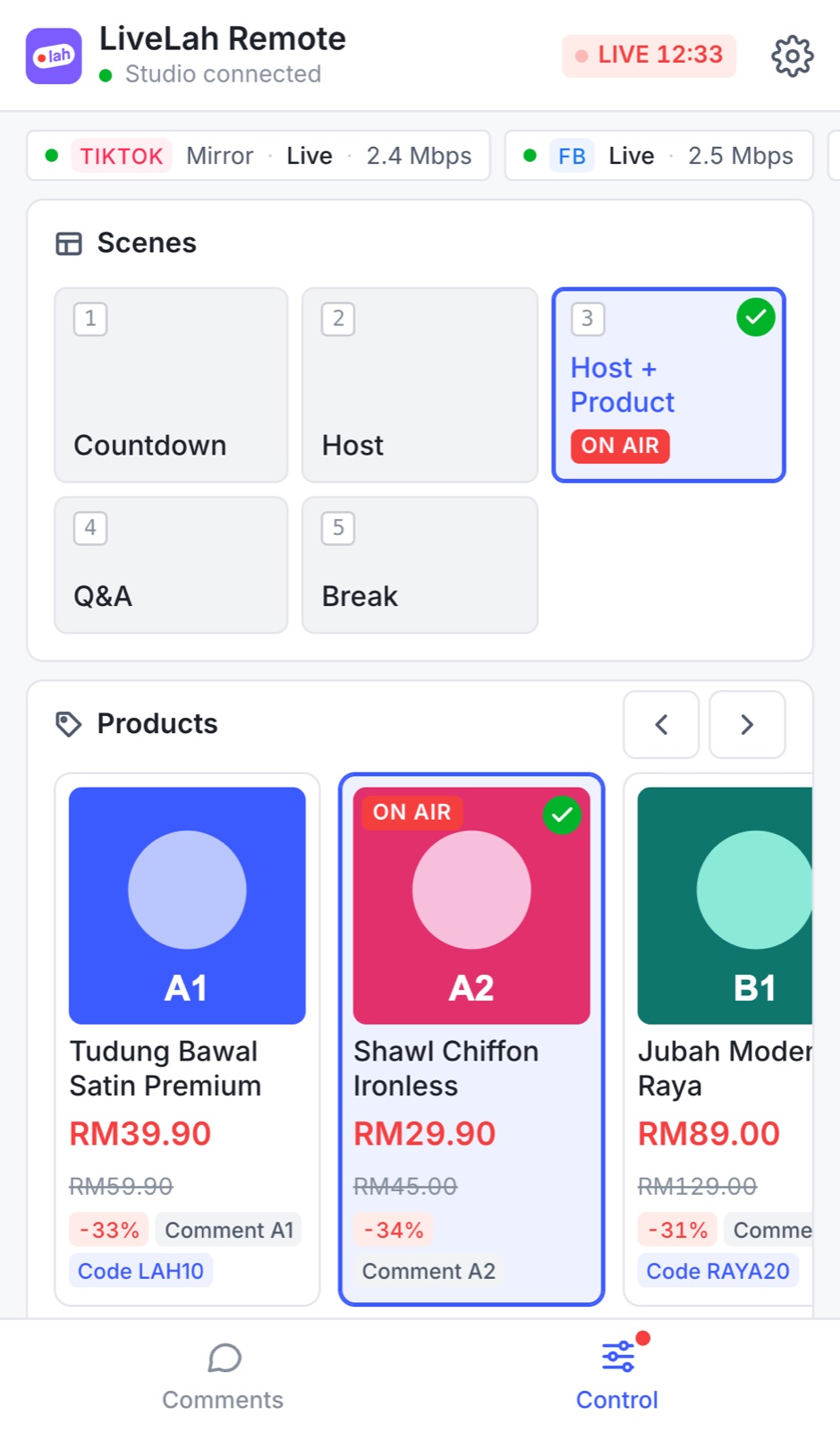
Scan the QR code in LiveLah Studio and your phone becomes the remote — no app to install. Read and reply to comments, show products, start a flash sale. Works on the same Wi-Fi as your computer.
See it in action
Prefer Bahasa Melayu? Switch to BM above. Download the 9:16 version
How it works
Download it for Mac or Windows (beta), then sign in with your free LiveLah account.
Paste the server URL and stream key from Facebook, Instagram, YouTube or any RTMP platform. Once.
Start your TikTok live and press Start in LiveLah. Your live reaches every platform at the same time.
Download
LiveLah Studio runs on your Mac or PC and sends your live to every platform. Your phone is the remote.
LiveLah Studio runs on a computer — open this page on your Mac or PC.
You can create your free account now and install Studio later.
Sign up freemacOS · .dmg
Not sure? Apple menu → About This Mac. “Chip: Apple M…” is Apple silicon; “Processor: Intel” is Intel.
First open
This build isn’t signed by Apple yet, so macOS asks once: in Applications, right-click LiveLah Studio → Open → Open. On macOS 15 or later, if there’s no Open button: System Settings → Privacy & Security → Open Anyway.
Windows 10 / 11 · 64-bit · .exe
The installer lets you install just for you or for everyone on the PC, and opens LiveLah Studio when it’s done.
First open
The beta isn’t signed yet, so Windows SmartScreen may say “Windows protected your PC”. Click More info → Run anyway.
Then sign in and link Studio to your account in Studio → Settings → LiveLah Cloud.
No account yet? Sign up freeFAQ
Can’t find your answer? Create a free account and try LiveLah Studio on your own computer.
Yes. LiveLah Studio runs on your Mac or Windows PC (Windows is in beta) — it doesn’t run on a phone. Your phone stays on your TikTok live and can double as the remote.
Yes, as a beta. LiveLah Studio for Windows 10 and 11 (64-bit) is ready to try; some things may still change before the full release.
No. To mirror a live, LiveLah picks up the live you're already running. If you already use OBS, you can send it to LiveLah over RTMP.
In passthrough mode the original video is sent without re-encoding, so the quality matches your source. You can also set a different size and quality for each platform.
Each platform you switch on uses its own upload. Before you go live, LiveLah shows the estimated upload and CPU load so you know your connection can handle it.
Your own account on each platform. Make sure you have the right to rebroadcast the live you mirror.
Your free account links LiveLah Studio to the LiveLah dashboard, where you can see your live history, products and linked computers. After installing, link Studio in Studio → Settings → LiveLah Cloud.
Creating an account is free, and LiveLah is free to try. Paid plans will be announced later.

Create your free LiveLah account, install LiveLah Studio on your Mac or PC, and run the show from your phone.
Already have an account? Log in